> ## Documentation Index
> Fetch the complete documentation index at: https://docs.symmetry.com/llms.txt
> Use this file to discover all available pages before exploring further.
# CBS API overview
> Base URLs, authentication, and the tools (live Swagger and a Postman collection) for working with the Calculators by Symmetry API.
The Calculators by Symmetry (CBS) API runs the same paycheck calculations as the hosted widgets, without the UI. Send a calculator request and receive the calculated withholding, deductions, and net pay as JSON. The endpoint reference in this section is generated from the CBS OpenAPI specification.
New to the calculators API? Start with [Quickstart: Call the calculators API](/cbs/getting-started/call-api) for a complete first request, then use this reference for full endpoint and schema details.
## Environments and base URLs
| Environment | Base URL |
| ----------- | ---------------------------------------------- |
| Production | `https://calculators.symmetry.com/api` |
| Staging | `https://calculators-staging.symmetry.com/api` |
Calculator endpoints sit under `/calculators`. For example, `https://calculators.symmetry.com/api/calculators/salary`.
CBS runs across standard deployment tiers: **local**, **test**, **staging**, and **prod**. Production is the default target for the URLs above. If your integration needs a non-production tier, request the corresponding endpoint from Symmetry.
The CBS API Postman environment sets its `endpointURL` to the current deployment tier on import, so you can switch tiers without hand-editing each request. Set your `apiKey` in Postman after importing.
The hosted widget scripts load from a different host. See [Widget catalog](/cbs/widgets/catalog).
## Authentication
Every request is authenticated with a single API key sent in the `pcc-api-key` header. There is no OAuth flow and no token exchange.
```text theme={null}
pcc-api-key: yourKey
```
The widgets and the API use the same credential. See [Authentication model](/cbs/core-concepts/authentication-model) for validation rules and optional domain restrictions.
## Explore in Swagger
API clients can access our Swagger documentation to test and explore each endpoint, and see a comprehensive overview of all available features.
Our Swagger docs are available for both our production and staging environments.
* [Production CBS API Swagger](https://calculators.symmetry.com/api/docs)
* [Staging CBS API Swagger](https://calculators-staging.symmetry.com/api/docs)
### Authorize access to Swagger docs
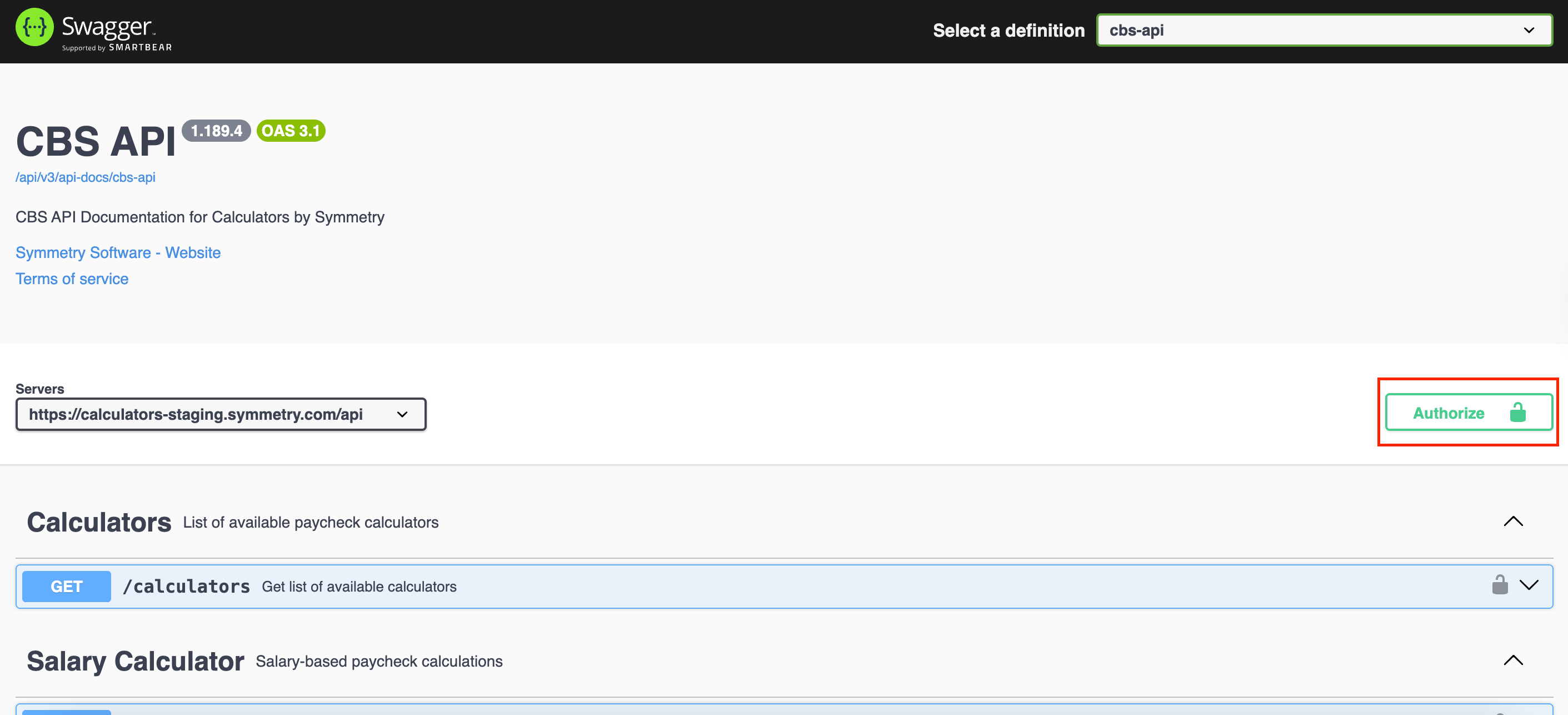
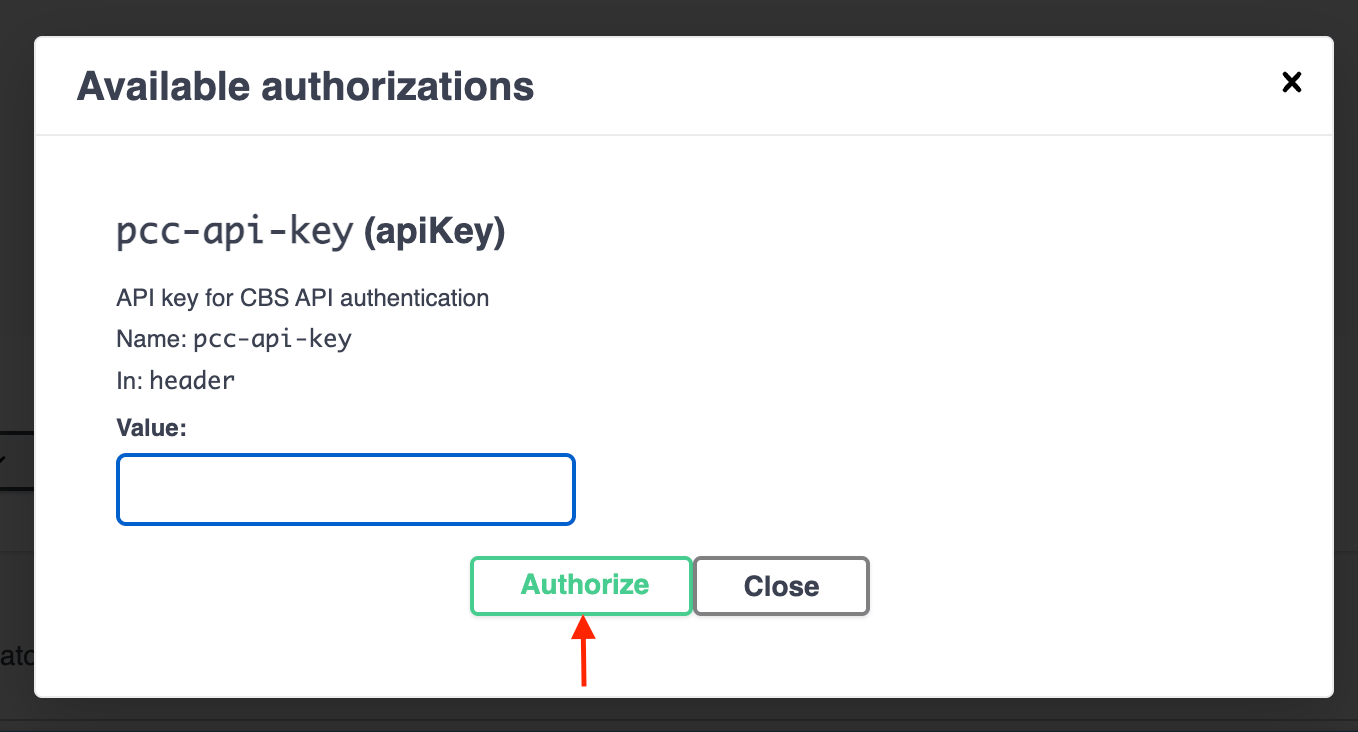
When accessing our Swagger docs, you will need to authorize to send a request to one of the CBS endpoints. To authorize, access the Swagger page and click the "Authorize" button to the right of the screen. Enter your API key and click "Authorize".
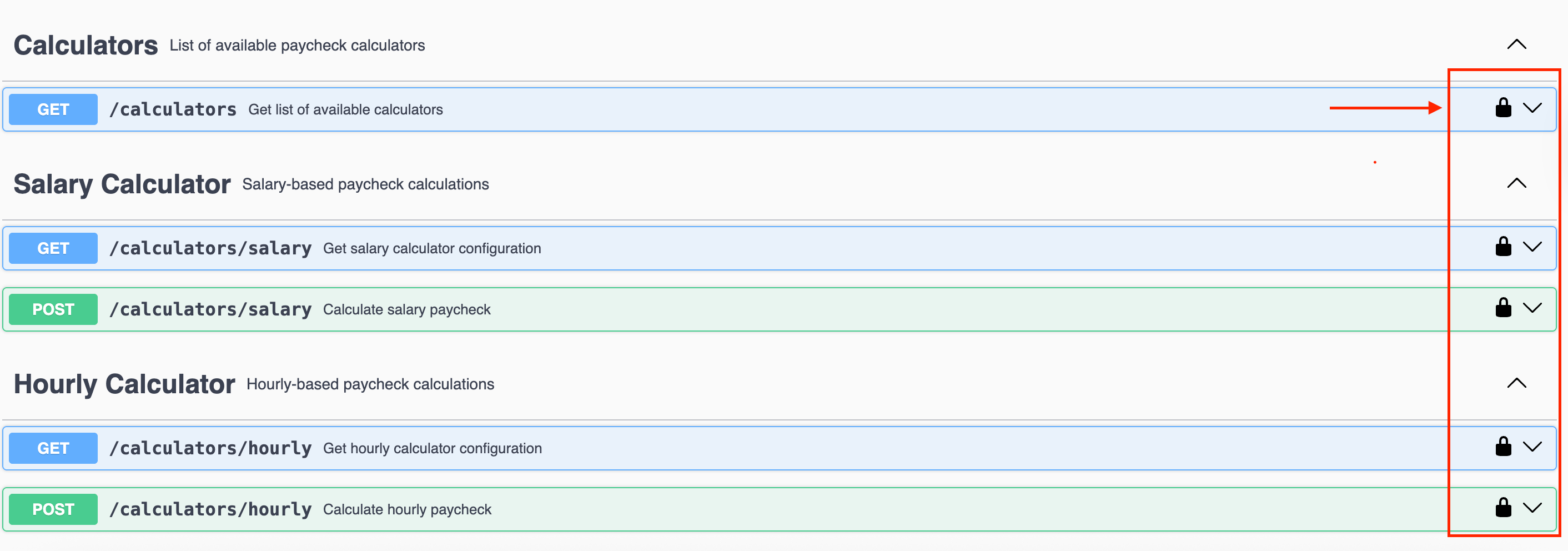
 Once authorized successfully, you'll see the lock symbol go from gray to black on each of the endpoints. This is your indication that you can send the sample requests to each endpoint.
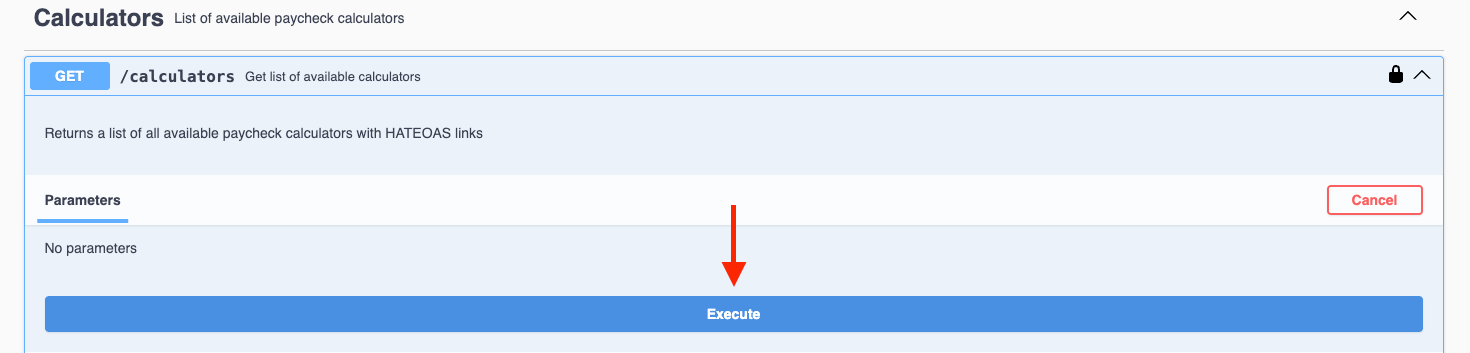
 Click into the desired endpoint, select "try it out," and then "execute."

 You'll then receive the response from the endpoint.
## OpenAPI specification
The CBS API serves its own specification at `/docs/config`. This endpoint requires no API key.
```bash theme={null}
curl https://calculators.symmetry.com/api/docs/config
```
The endpoint pages in this section are generated from a committed snapshot of that specification.
## Next steps
Download the CBS Postman collection and environment directly from the API.
Full reference for every calculator, data, print, and utility endpoint.
You'll then receive the response from the endpoint.
## OpenAPI specification
The CBS API serves its own specification at `/docs/config`. This endpoint requires no API key.
```bash theme={null}
curl https://calculators.symmetry.com/api/docs/config
```
The endpoint pages in this section are generated from a committed snapshot of that specification.
## Next steps
Download the CBS Postman collection and environment directly from the API.
Full reference for every calculator, data, print, and utility endpoint.