> ## Documentation Index
> Fetch the complete documentation index at: https://docs.symmetry.com/llms.txt
> Use this file to discover all available pages before exploring further.
# Embedded employer experience
> The embedded administrator experience for managing I-9s. Covers configuring E-Verify, actioning I-9 submissions, and reviewing the employee dashboard.
The embedded employer experience allows administrators to manage the I-9 verification process:
* [Configure E-Verify settings](#configure-e-verify-settings)
* [Action on employee I-9 submissions](#action-on-i-9-submissions)
* [Review employee employee progress](#review-the-employee-dashboard)
## Configure E-Verify settings
Administrators connect an employer's E-Verify web services account from the embedded E-Verify settings module. To launch it within your application, make a GET request to the `/employers/{employerId}/admins/{adminId}/everifySettings/generateEverifySettingsUri` endpoint. Once the connection is established, Symmetry automatically initiates an E-Verify case as soon as your company administrator or Authorized Representative signs Section 2 of the Form I-9.
For the full setup path—the credentials to enter, the API alternative, and how to create an account—see:
* [E-Verify Overview](/i9/e-verify/overview)
* [Configure E-Verify](/i9/e-verify/configure)
* [Creating an E-Verify Account to Integrate with Symmetry](/i9/e-verify/create-account)
* [Managing E-Verify Cases](/i9/e-verify/managing-cases)
## Action on I-9 submissions
As noted in the [Employer Workflow Overview](/i9/getting-started/action-on-i-9), there are instances where an employer will need to take action on the employee's I-9 submission using the employer embedded experience:
1. Complete section 2 if the employer is not using alternative procedure
2. Document fails verification
3. E-Verify cases that are not returned as "closed" (for example, Tentative Non-Confirmation, Photo-Match, Unconfirmed Data, Scan and Upload, and Manual Review statuses)
4. Document receipt is provided
As a reminder, to access the employer embedded experience through the API, you will make a GET request with the administrator and employer ID to the `/v1/employers/{employerId}/admins/{adminId}/generateToken` endpoint. A successful response will return an `embeddedUri` that you can use to embed within your product. Read more on how to launch the employer embedded mode: [Initiate employer embedded access](/i9/getting-started/action-on-i-9).
## Review the employee dashboard
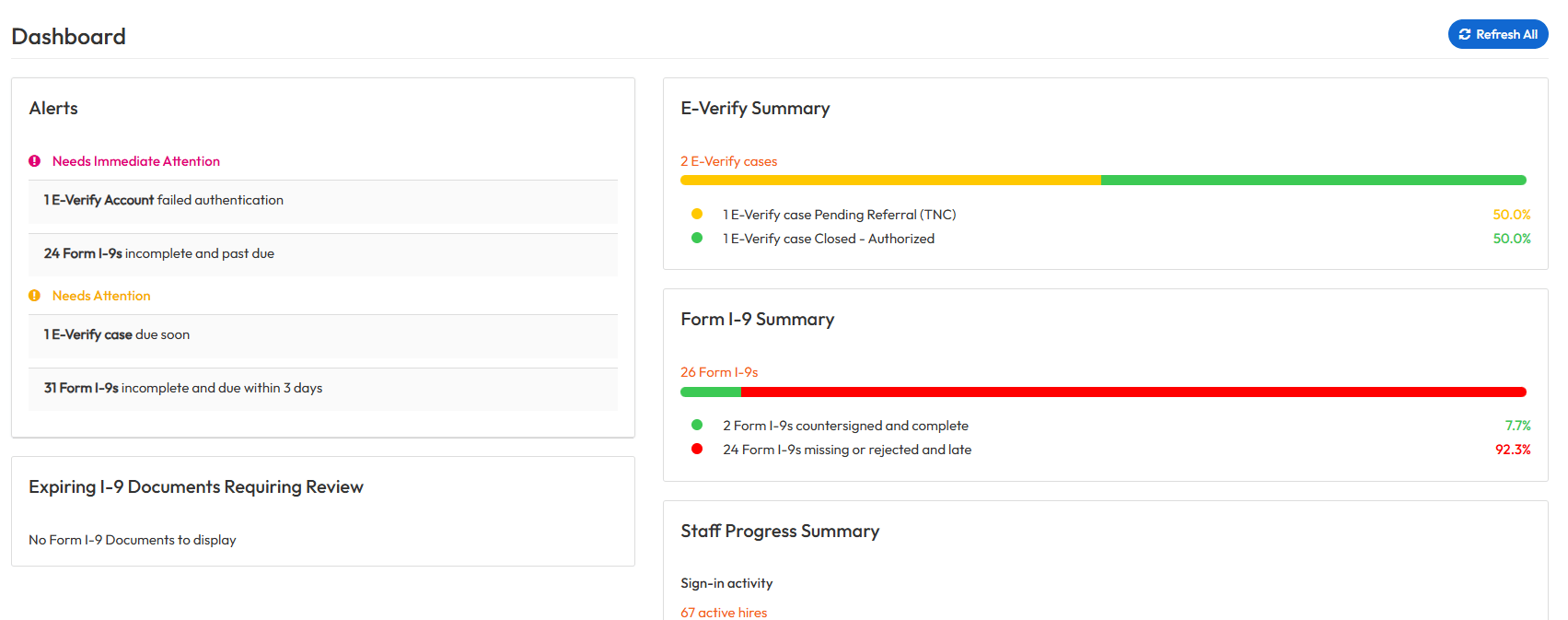
Within the embedded experience, administrators can review employees' I-9 progress and take action when necessary. The following portlets allow administrators to track the entire employee I-9 lifecycle.
* **E-Verify summary**: review and take action on E-Verify cases
* **Form I-9 summary**: see the status of all Forms I-9 within your organization
* **Staff progress summary**: review employee sign-in activity and required forms
* **Alerts**: Forms I-9 that require immediate attention (past due or incomplete) as well as upcoming due dates
* **Expiring I-9 documents requiring review**: stay on top of document expiration dates and know when to request additional documentation from your employees
 ## Embedded administrator experience demo