> ## Documentation Index
> Fetch the complete documentation index at: https://docs.symmetry.com/llms.txt
> Use this file to discover all available pages before exploring further.
# MWF API overview
> Base URLs, authentication, and the tools (live Swagger and a Postman collection) for working with the Symmetry Minimum Wage Finder API.
The Symmetry Minimum Wage Finder (MWF) API returns applicable minimum wage rates for a work location or minimum wage unique ID (`mwUid`) across all industries, at any point in time, in JSON. The endpoint reference in this section is generated from the MWF OpenAPI specification.
New to the MWF API? Start with the [Quickstart: Call the MWF API](/mwf/getting-started/api-quickstart) for a complete first request, then use this reference for full endpoint and schema details.
## Environments and base URLs
| Environment | Base URL |
| ----------- | ---------------------------------- |
| Production | `https://api.symmetry.com` |
| Staging | `https://api-staging.symmetry.com` |
The endpoints that return rates are `/mwf/v1/location`, `/mwf/v1/id`, and `/mwf/v1/rates/effective`.
Always develop and test against the staging environment before pointing your integration at production.
## Authentication
Every MWF endpoint other than `/authentication/login` requires a JWT access token. Request one by sending an HTTP GET to your `apiDomain` URL with the `api-key` header set to the API key Symmetry provided, then send the token back as a Bearer token in the `Authorization` header.
```bash theme={null}
curl --location --request GET 'https://api.symmetry.com/authentication/login' \
--header 'api-key: YOUR_API_KEY'
```
A successful response contains the access token:
```json theme={null}
{
"accessToken": "yoUrTokEnISh3re!"
}
```
Tokens are valid for 24 hours. An invalid, expired, or empty token produces an HTTP 401:
```json theme={null}
{
"message": "Unauthorized"
}
```
**Access token versus API key**
Your access token is not the same as your API key. Your API key is used for initial authentication to obtain an access token from the `/authentication/login` endpoint. Your access token is used for authorization to access and interact with other MWF API endpoints securely.
## Explore in Swagger
API clients can access our Swagger documentation to test and explore each endpoint, and see a comprehensive overview of all available features.
Our Swagger docs are available for both our production and staging environments.
* [Production MWF API Swagger](https://api.symmetry.com/mwf/docs)
* [Staging MWF API Swagger](https://api-staging.symmetry.com/mwf/docs)
### Authorize access to Swagger docs
To generate the token, make a request to the `/authentication/login` endpoint to receive a valid access token. Then click the **Authorize** button on the right side of the browser, enter this access token into the dialog box for the respective environment, and click **Authorize**.
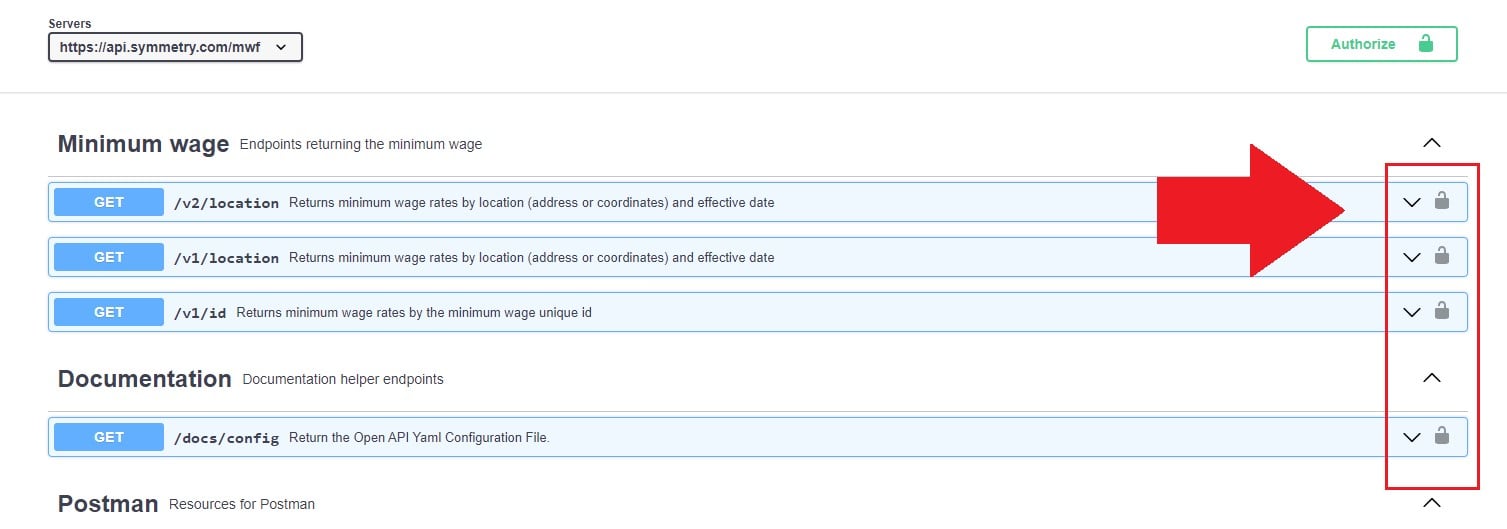
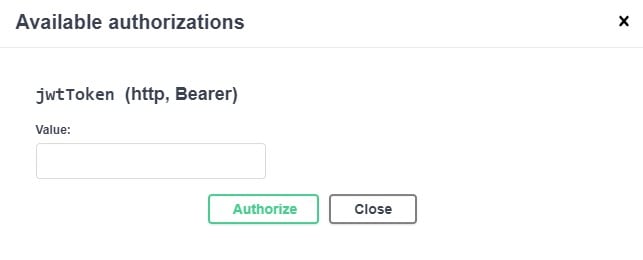 Once authorized successfully, you'll see an unlocked symbol appear on each of the endpoints. This is your indication that you can send the sample requests to each endpoint.
 Click into the desired endpoint, select **Try it out**, and then **Execute**.
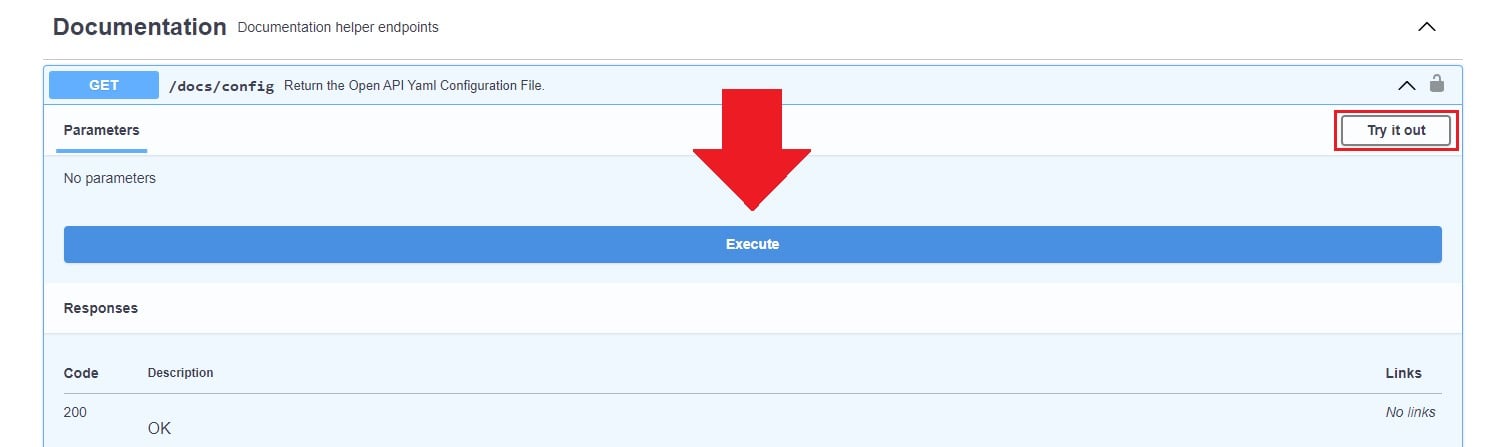 You'll then receive the response from the endpoint.
## Next steps
Download the MWF Postman collection and environment directly from the API.
Full reference for every minimum wage, documentation, and Postman endpoint.
You'll then receive the response from the endpoint.
## Next steps
Download the MWF Postman collection and environment directly from the API.
Full reference for every minimum wage, documentation, and Postman endpoint.