

status in Symmetry I-9 becomes pending_referral. The employer must present a Further Action Notice (FAN) to the employee and record the employee’s election.
This page covers the integration work. For what a TNC and FAN are and the obligations each triggers, see TNCs and FANs.
Prerequisites
- Webhooks configured
- E-Verify configured for the employer
- Familiarity with E-Verify case statuses and Manage E-Verify
Trigger: pending_referral webhook
When a case receives a TNC result from E-Verify, Symmetry sends employee.everifyCaseUpdate with status set to pending_referral:
Phase 1: TNC issued (pending_referral)
1. Handle the webhook
Store at minimum:employerId,employeeIdeverifyCase.submissionId,everifyCase.caseIdeverifyCase.status(pending_referral)
2. Enrich case data (optional but recommended)
Fetch the full case details for the employer:submissionId equals the webhook value. Then get the specific E-Verify case details:
The
{id} path parameter is Symmetry’s internal case record ID from the list response—not the DHS caseId.
The notice URLs are pre-signed and expire, so request the case detail when you need to present a document rather than storing the link.
3. Notify and launch the employee session
Alert the employee in your app, then request an access token:embeddedUri, not the raw API URL. Tokens are valid for 30 minutes. See Authentication.
4. Employee actions in embedded UI
When the employee is authenticated into the embedded experience, they will see an action-required banner to review their E-Verify case.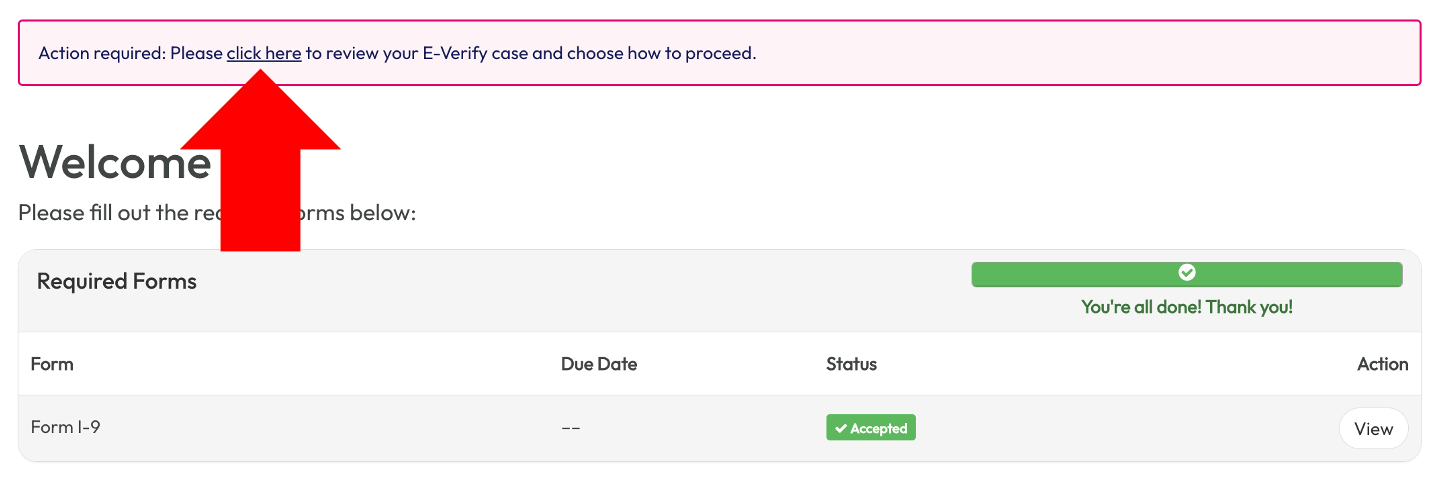
Employee embedded experience: E-Verify case action required
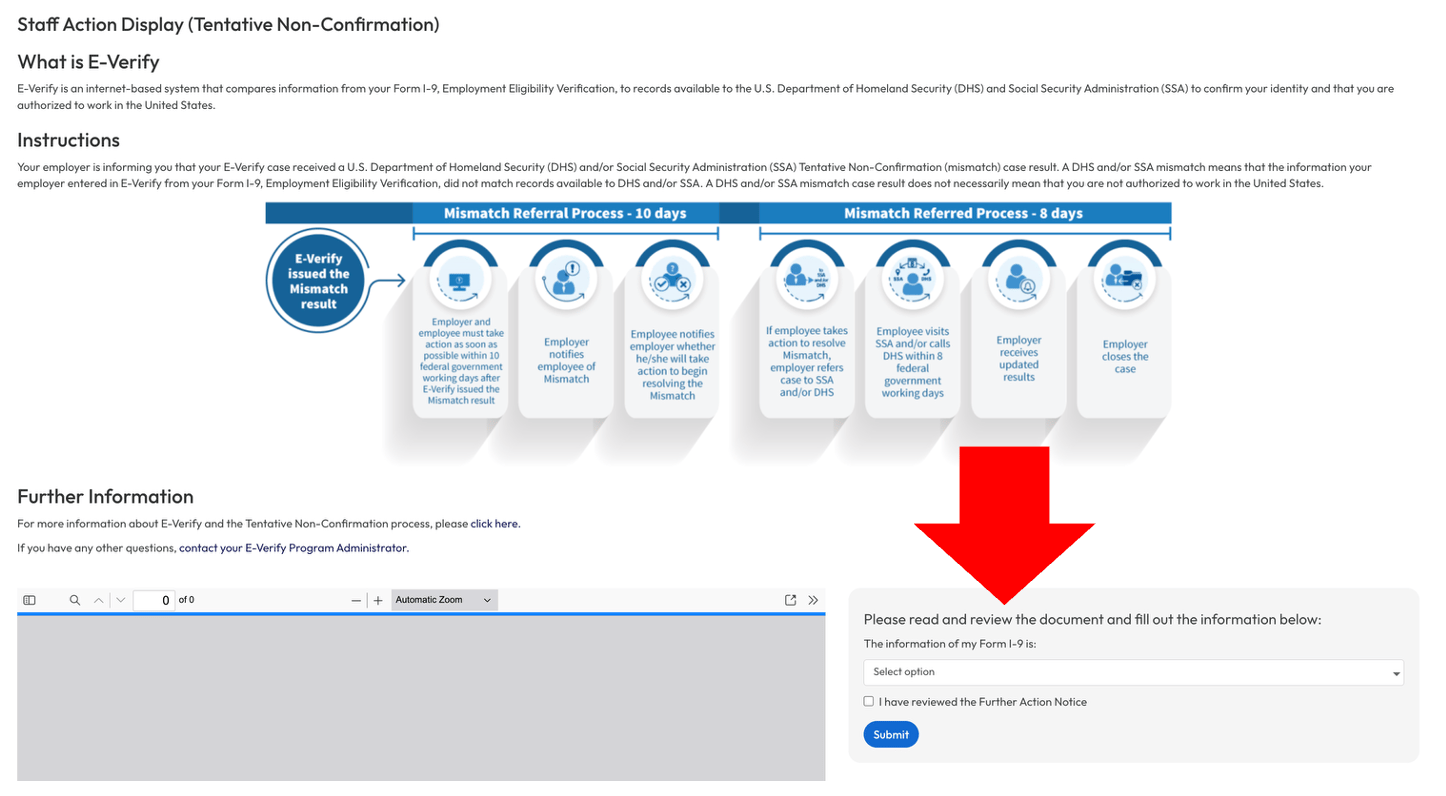
Employee embedded experience: FAN acknowledgement and election
Phase 2: While status remains pending_referral
- Case status may stay
pending_referraluntil employee elections and administrator attestation are recorded. - Listen for a new
employee.everifyCaseUpdatewebhook that indicates a change instatus. - Display
deadlineOnfrom case detail in employee-facing copy when available.
Phase 3: Administrator completion
1. Notify the administrator
pending_referral requires administrator action.
2. Launch administrator E-Verify UI
Use the E-Verify case index endpoint:authenticateUri first, then embeddedUri.
3. Administrator actions in embedded UI
In the E-Verify case UI, the administrator typically:- Sees the case as Pending Referral (TNC).
- Checks “I presented the FAN to the employee and informed them of their options.”
- If the employee reported incorrect I-9 information: closes the case (for example, incorrect data) and initiates a new I-9 for the employee.
- If the employee will contest: monitors the case after it becomes
referred; the employee contacts SSA/DHS and may need E-Verify.gov whenvisitEverifyistrue.
Phase 4: Status transitions after employee election
Status transitions produce a new
employee.everifyCaseUpdate webhook.